|
Firstly, the Classic
calcs are not being phased out. They will remain in service
and will be further developed in the future. However, the Classic calcs are primarily
designed for use on computers - i.e. desktops and laptops - and
are not optimised for use on a smartphone.
The modern calcs take a fresh approach. They can be used
on any device and fit perfectly on a computer or a smartphone
screen.
modern calcs: new design - same code
The modern calcs have all the questions and
sections you're used to but in a new design that gives you more
control. The calculation code is exactly the same as the classic
versions.
Calc on any device
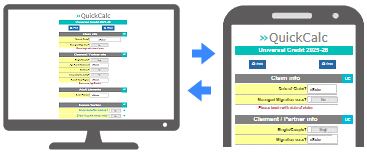
The modern calcs work the same on a PC or
a smartphone - and the new design works really well on smaller
screens.
Show/hide sections
With the modern calcs you can opt to show/hide
some sections - for example questions about children or disability.

Some questions are also
shown or hidden automatically based on your answers.
e.g. if you enter PIP Daily Living as an income, the calc won't
ask about non-deps.
These show/hide features
help to keep the calc compact - letting you to focus on the information
that matters.
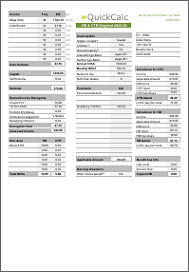 Classic 1-page printouts Classic 1-page printouts
Whether you print on
paper or convert to PDF, the modern calcs reformat in the background
to look just like a 1-page printout from a classic calc. Use
the built-in print button - or any of the print options in your
browser.

Don't forget you can print or convert to PDF from your smartphone
too.
Click »Here
for a sample PDF
modern calcs on a Smartphone
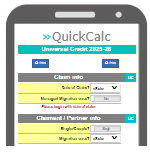 You
could just use the normal QuickCalc site on your smartphone
but there is a dedicated smartphone menu - designed for
easy navigation on a small screen. You
could just use the normal QuickCalc site on your smartphone
but there is a dedicated smartphone menu - designed for
easy navigation on a small screen.
There's no need to install
anything - use your phone's web browser to go to quickcalc.co.uk/sp
- or tap/scan the QR code on the QuickCalc home page.
Smartphone printing: If you're on a Wi-Fi network with
a shared printer you can print your 1-page results. If not, you
can still print to PDF then send to a computer for later printing
or storage.
See what you
think
Have a dabble with
the modern calcs on your PC - try out a few real calculations.
The classic expert calcs
are here to stay, but you might prefer the modern ones for some or all of your work.
And, once you know your way around, you can reach for your smartphone
and get going straight away.
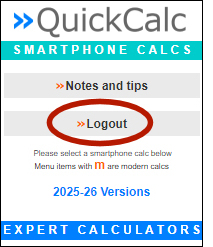 Smartphone logins Smartphone logins
You'll need to login
to the smartphone menu on your phone - with the same username
and password you use on a PC.
Smartphone logins count against your allowance of 3 different
devices within any 1-hour period.
The menu has a logout option at the top which helps you to keep
inside the limit when you've finished using the calcs.
|